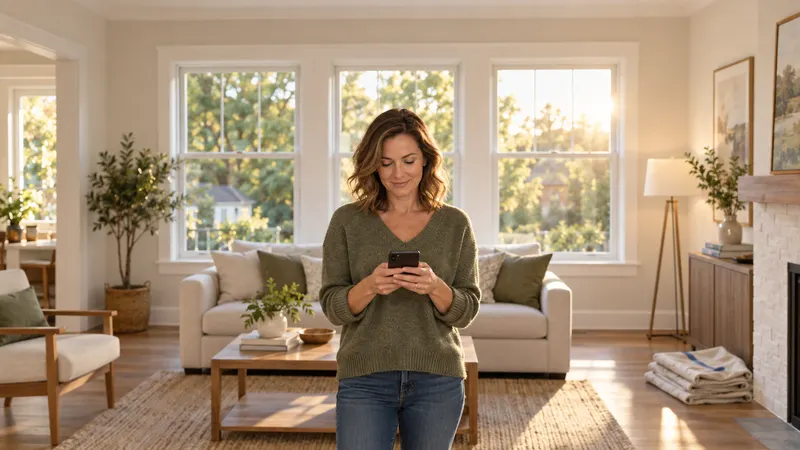
A homeowner just asked for a quote. Right now, they are ready to talk.
That moment is the most expensive thing in your business, and most dealers treat it like an inbox.
The form comes in. Somebody sees it when they see it. They copy the number, find the contact, open the calendar in another tab, and dial from their cell. By then the homeowner has gone back to dinner, or to the next dealer on Google.
Nobody on your team is lazy. The tools just put too many steps between the lead and the phone.
So we took the steps out.
Today we are introducing the WindowEdge Call Center: your reps go from new lead to live call in two clicks, and book the appointment while the homeowner is still on the phone.
Leads come from all of your configured sources
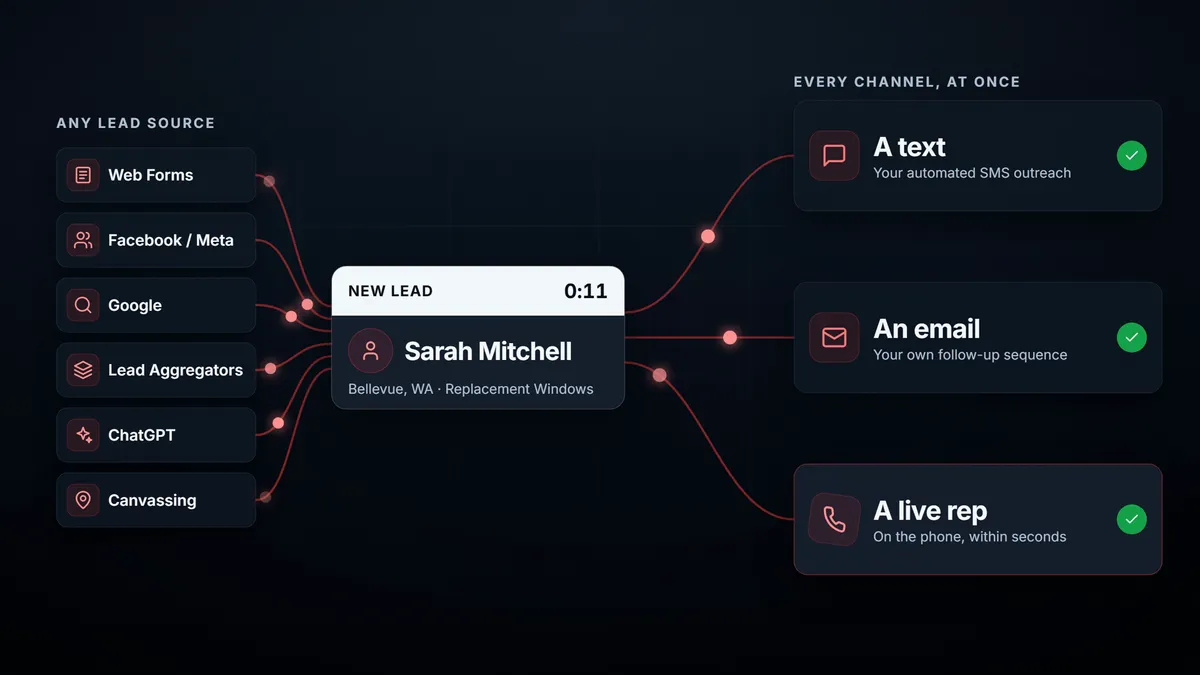
Your web forms. Facebook. Google. Third-party lead aggregators. ChatGPT.
It does not matter where the lead started. The moment one reaches WindowEdge, you can reach back on every channel at once: a text, an email, and a live rep on the phone. All from one system.
A lot of you already have the text and the email covered. The live rep was the missing piece. It is usually the piece that books the appointment.
Click one: claim it
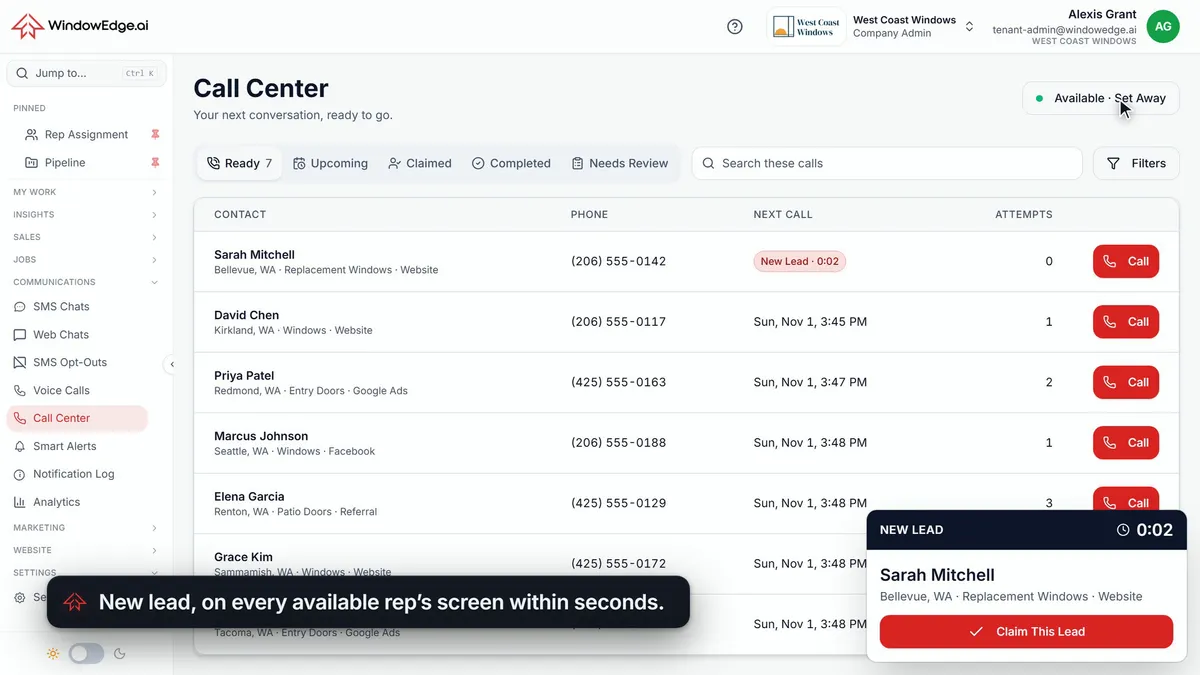
Your rep clicks Set Available. That is clocking in. It says they are ready to accept live leads and place outbound calls.
Then a lead lands.
Sarah, in Bellevue, wants replacement windows. Every available rep sees her within seconds, on whatever WindowEdge page they are working in. The timer counts from when her form arrived, not from when someone noticed it.
One click claims her.
Once a lead is claimed, nobody else can claim it. The whole team sees who got there first. If you have ever had two reps call the same homeowner within a minute of each other, you know why that matters.
Click two: call it
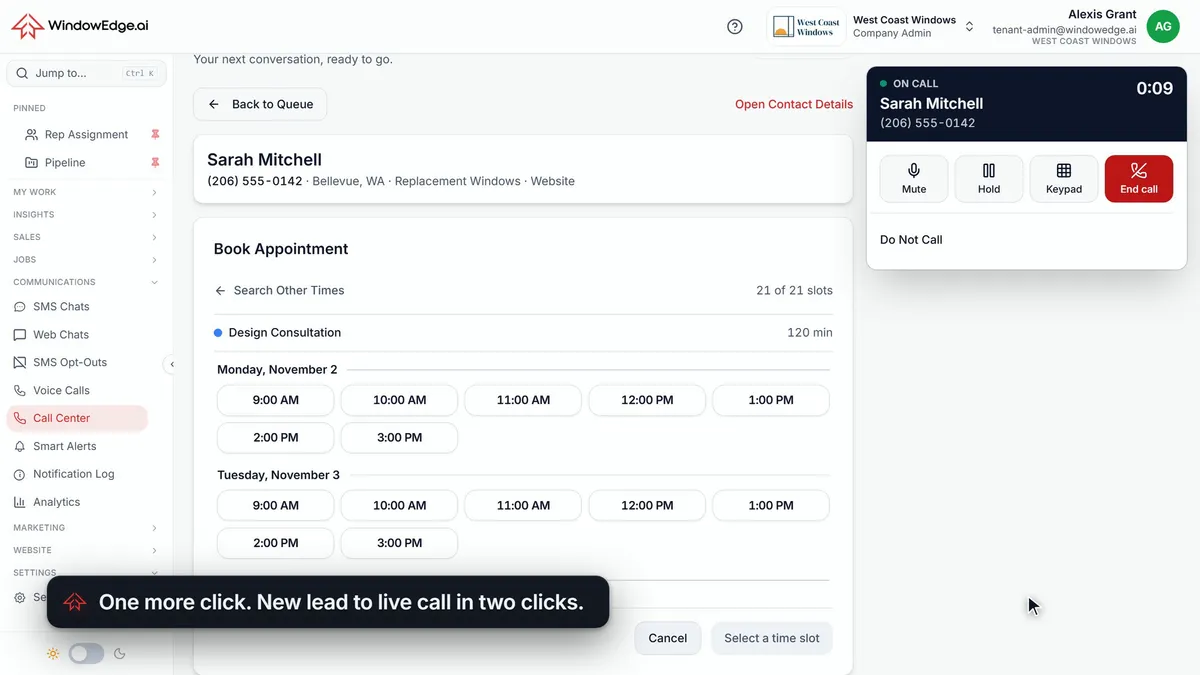
One more click, and the call is on its way.
No separate dialer. No second login. No softphone to install. Calling runs right in the browser, with Mute, Hold, Keypad and End Call in one panel.
Here is the part we are proudest of. While the call connects, open times are already on screen, right from your calendar. Your rep does not say "let me pull that up." They say "I have good availability Monday and Tuesday this week. What works for you?"
Book it before she hangs up
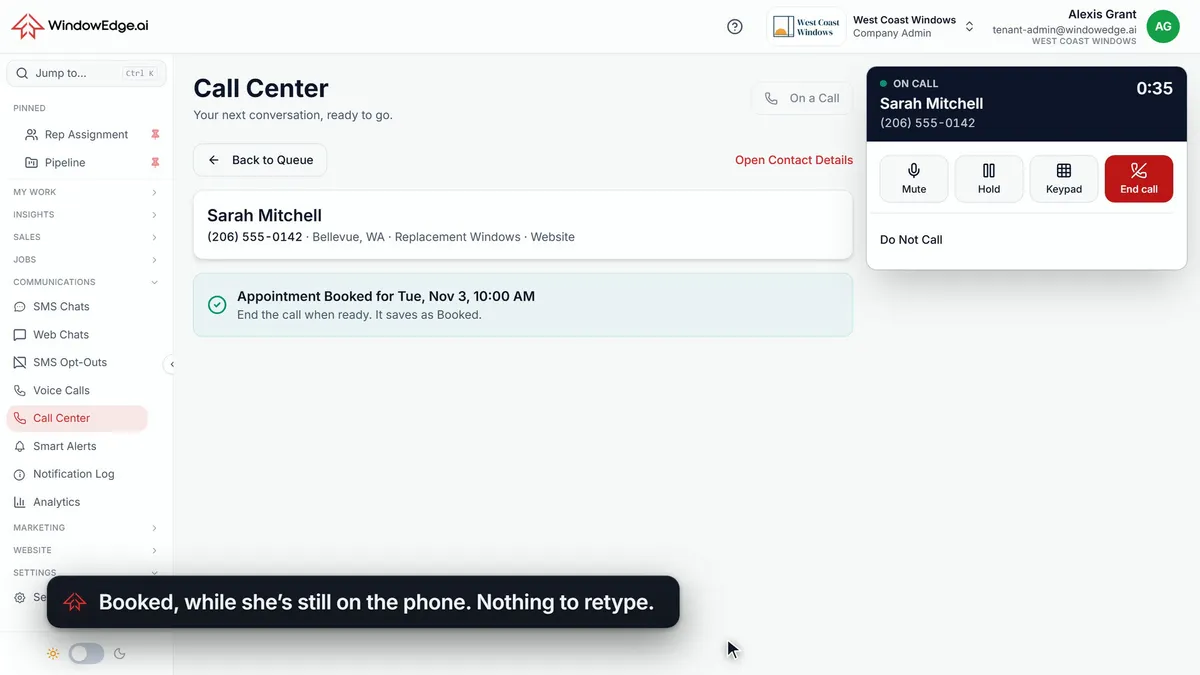
Sarah wants Tuesday at ten. Click the time. Click Book.
That is it. Appointment booked, while she is still on the phone. No retyping her name, her address, or her number.
When the call ends, it is marked Booked automatically. Nothing to log, nothing to forget, and with confirmations configured, the appointment confirmation text and email are on their way to Sarah.
Not every call books
If nobody answers, or it is not a good lead, the rep can easily mark it. No Answer, Bad Lead and Do Not Call are one click away. Unanswered leads come back on your follow-up schedule.
Next Call brings up the next lead, and your rep decides when to dial.
We want to be clear about that. This is not an auto dialer. A person decides every call. Nothing dials on its own, and your calling hours hold, so a lead that shows up at 10 PM waits for you to open.
The call does its own paperwork
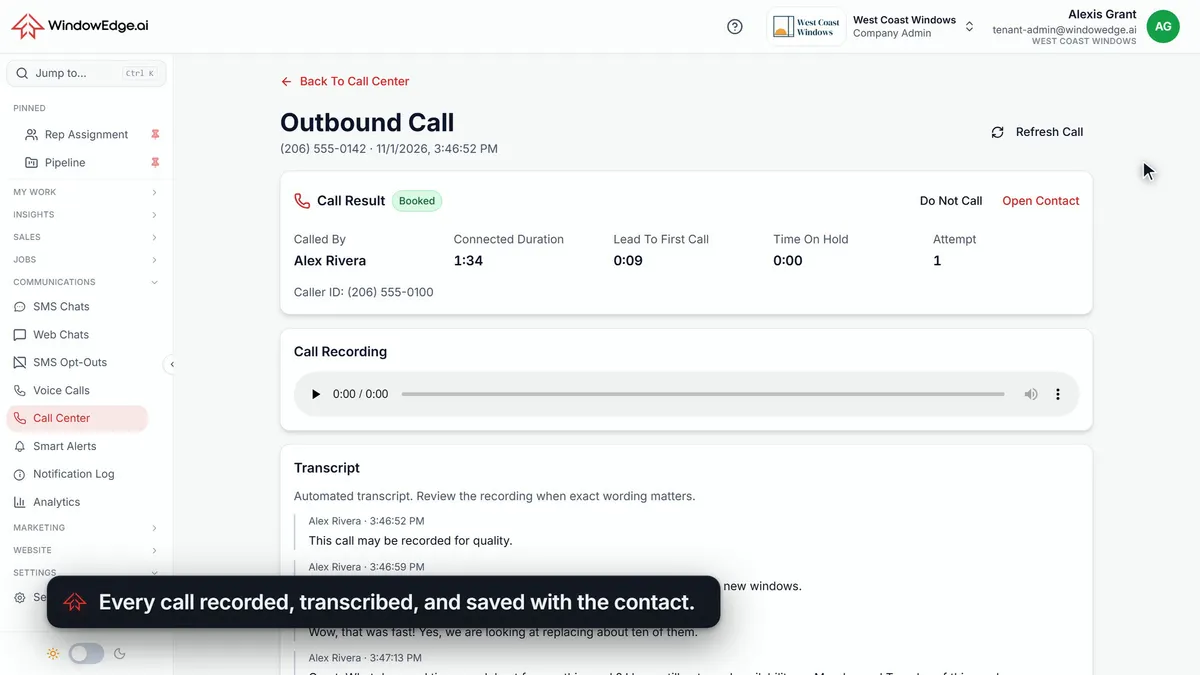
Every call is saved with the contact: the recording, the transcript, who called, how long they talked, and Lead To First Call.
That last one is the number to watch. You can stop guessing how fast your team responds, and read it off the record.
Ask yourself:
- How long does a new web lead wait before someone at your company dials?
- How many tabs does your rep open before that call starts?
- When a lead sits, who finds out?
If you do not know, that is the answer.
See it with your own leads
The Call Center is built for window and door dealers, by people who spent 30+ years in the trade.
Bring your lead sources to a 20-minute demo, and we will show you how each one reaches your team.
Book a demo or read more on the Call Center page.