Marketing & Attribution · Project MapNew
Proof on the map, one street over.
Every completed install can become a published Before and After story on a privacy-safe map. Paste the address of your next appointment and the nearest proof ranks itself, ready to present at the kitchen table, share by link, or embed on your site.
Built by dealers. 30+ years in the trade.
Windows
Project Map
6 published stories within 5 mi
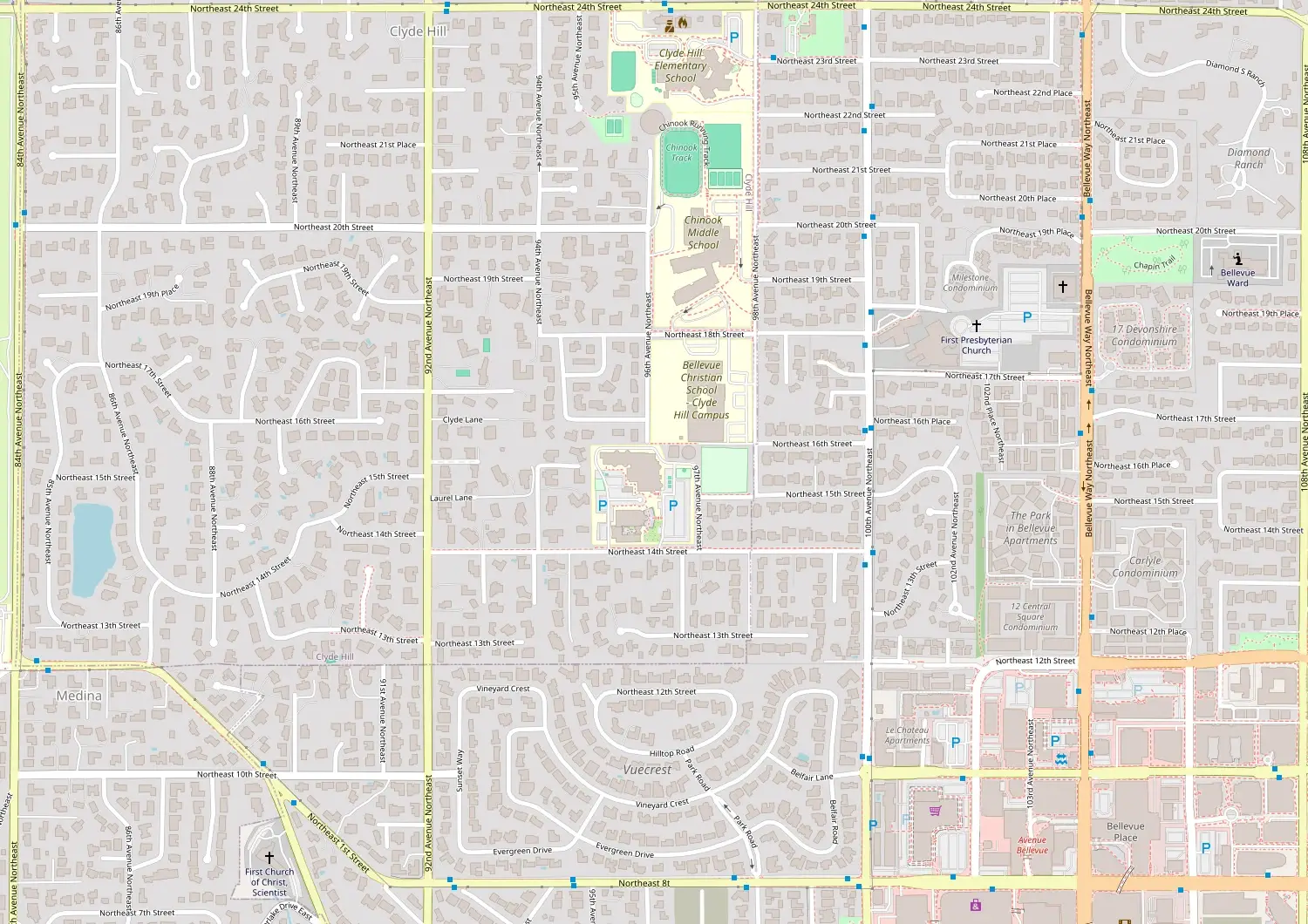 1420 Maple · 2:30 PM0.4 mi
© OpenStreetMap contributors
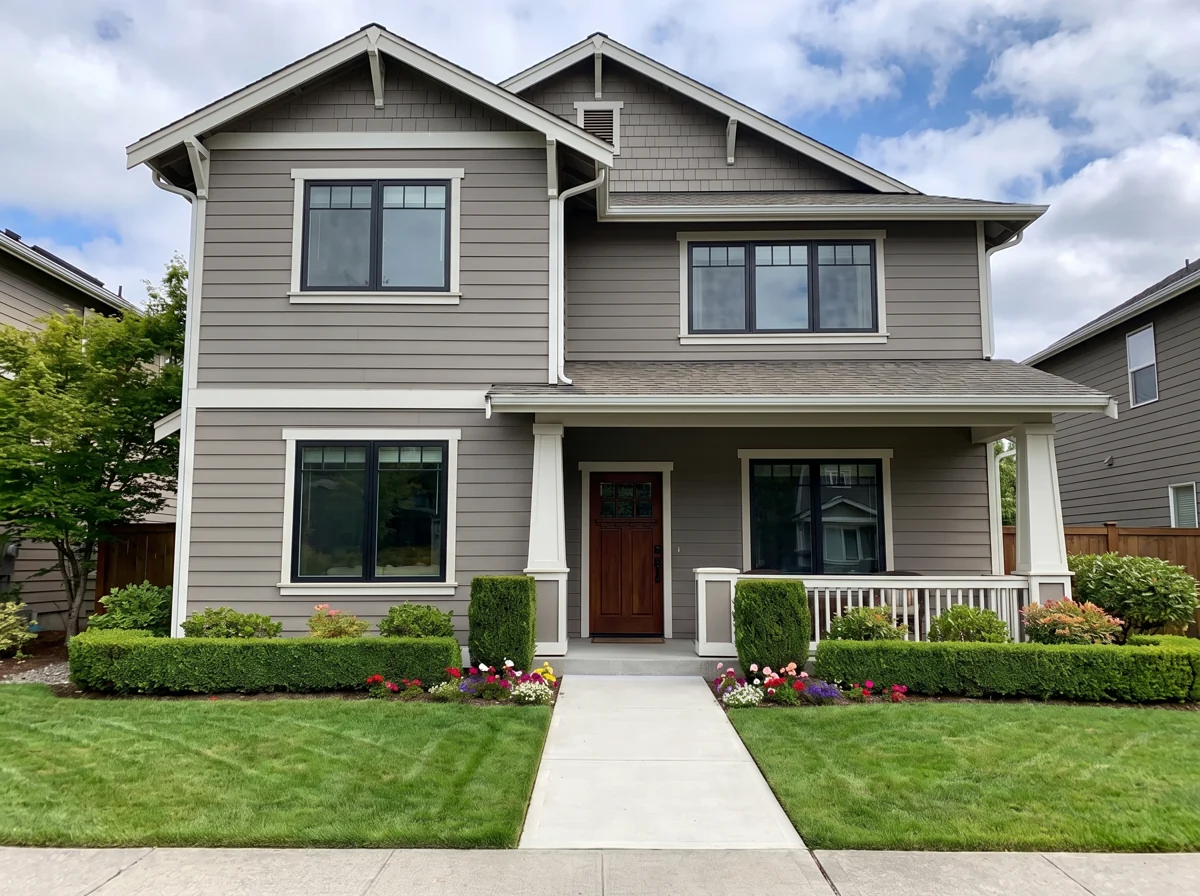
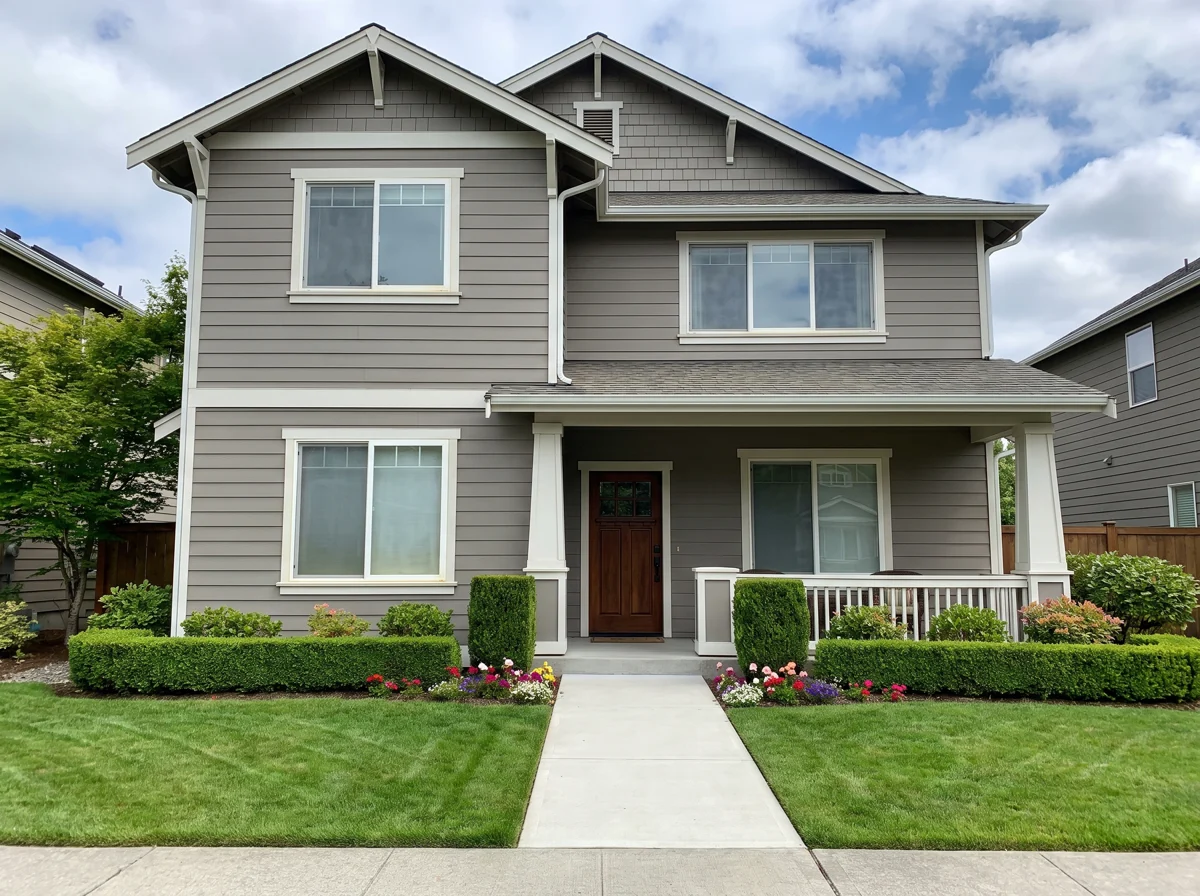
Whole-home window replacement
PublishedNearest story auto-selected
5 of 5 readiness checks passed
From finished install to published proof
The photos already exist on the project. The map turns them into proof with a task, a checklist and a manager's signoff.
The install completes
Install completion creates a draft story and a task to prepare the proof, due 5 PM the next business day, routed to the project coordinator.
The coordinator curates
One Before and one After from the project’s media (up to 8 public media references), a customer-safe title and summary, recorded consent with an evidence note, and a privacy review.
Five readiness checks
Geotag, Before, After, consent and public details. A story cannot be published until all five pass.
A manager publishes
Only a sales manager or tenant admin can publish. The pin is offset 250 to 450 meters and the public images are re-encoded with metadata stripped.
Proof that works the way a sales call works
Appointment Lens
Paste the prospect’s address and the stories rank by distance. The nearest is auto-selected. "Present selected proof" opens a drag-the-divider Before and After for the kitchen table.
Share it anywhere
A hosted URL for texting and email, or a responsive iframe embed for your website, each with a "Powered by WindowEdge" badge.
AI Social Studio
One story becomes channel-specific drafts for Instagram feed and story, Facebook and Google Business Profile. Always labeled draft, never posted automatically.
Claims stay out of the copy
Prices, savings, timelines, warranty and testimonial claims are blocked in social drafts, so a post never promises what a contract did not.
Read API for the sales app
The mobile sales app pulls nearby published stories within 1 to 100 miles, default 35, so the rep has proof in hand before the doorbell.
Linked from your reviews
A featured review on your review wall can carry a "See this project" link to its Project Map story, pairing the words with the pictures.
Nothing publishes until it is ready
The coordinator gets the task the day after the install. The story gets a checklist. A manager gets the publish button. Each step exists so the map only ever shows work you are proud of and a homeowner agreed to share.
- Task due 5 PM the next business day, routed to the project coordinator
- One Before and one After chosen from the project’s own media
- Recorded consent with an evidence note, plus a privacy review
- Publish limited to a sales manager or tenant admin
Story readiness
Full-home window replacement, 1960s rambler
Draft · prepared by the project coordinator
- GeotagOffset 250 to 450 m on publish
- Before1 of up to 8 public media references
- AfterRe-encoded, metadata stripped
- ConsentRecorded, with evidence note
- Public detailsNo name, street or project ID
Awaiting publish by a sales manager or tenant admin.
Public proof that protects the homeowner
A map of your customers' homes is only an asset if it can never be a liability. These rules are built in, not bolted on.
Nothing identifying
No customer name, street address or internal project ID is ever public. The title and summary are written to be customer-safe.
The pin is not the house
Every published pin is offset 250 to 450 meters, so the story reads as "this neighborhood," never "this door."
Clean images
Public images are re-encoded with metadata stripped, so no camera location or device data rides along.
Where it shows up
- The Appointment Lens, ranked by distance from the prospect
- A hosted URL you can text or email
- A responsive iframe embed on your website
- The mobile sales app, via the read API (1 to 100 miles, default 35)
- Your review wall, behind a "See this project" link
- Social drafts for Instagram, Facebook and Google Business Profile
One story, curated once, presented wherever the next homeowner is deciding.
Questions dealers ask
What is public on a published story?
A customer-safe title and summary, one Before and one After image, and an offset pin. No customer name, street address or internal project ID is ever public. The pin is offset 250 to 450 meters and public images are re-encoded with metadata stripped.
Who can publish a story?
Only a sales manager or tenant admin. The project coordinator prepares the draft, all five readiness checks (geotag, Before, After, consent, public details) must pass, and then a manager publishes.
How does consent work?
Consent is recorded on the story with an evidence note as part of curation, and a privacy review is part of the same step. A story without recorded consent fails readiness and cannot be published.
How does the Appointment Lens help on a sales call?
Paste the prospect’s address and the published stories rank by distance, with the nearest auto-selected. "Present selected proof" opens a drag-the-divider Before and After you can show at the kitchen table.
Does the AI Social Studio post for me?
No. It turns one story into channel-specific drafts for Instagram feed and story, Facebook and Google Business Profile. Every draft is labeled draft and nothing is posted automatically. Prices, savings, timelines, warranty and testimonial claims are blocked.
Can I put the map on my website?
Yes. Share a story or the map as a hosted URL or a responsive iframe embed, each with a "Powered by WindowEdge" badge.
Outcomes this drives
Show the next homeowner the house down the street
See the Project Map in a 20-minute demo. Bring the address of an upcoming appointment and we will show you what the Appointment Lens would pull up.
Built by dealers. 30+ years in the trade.