Lead Capture · Call CenterNew
New lead to live call in two clicks.
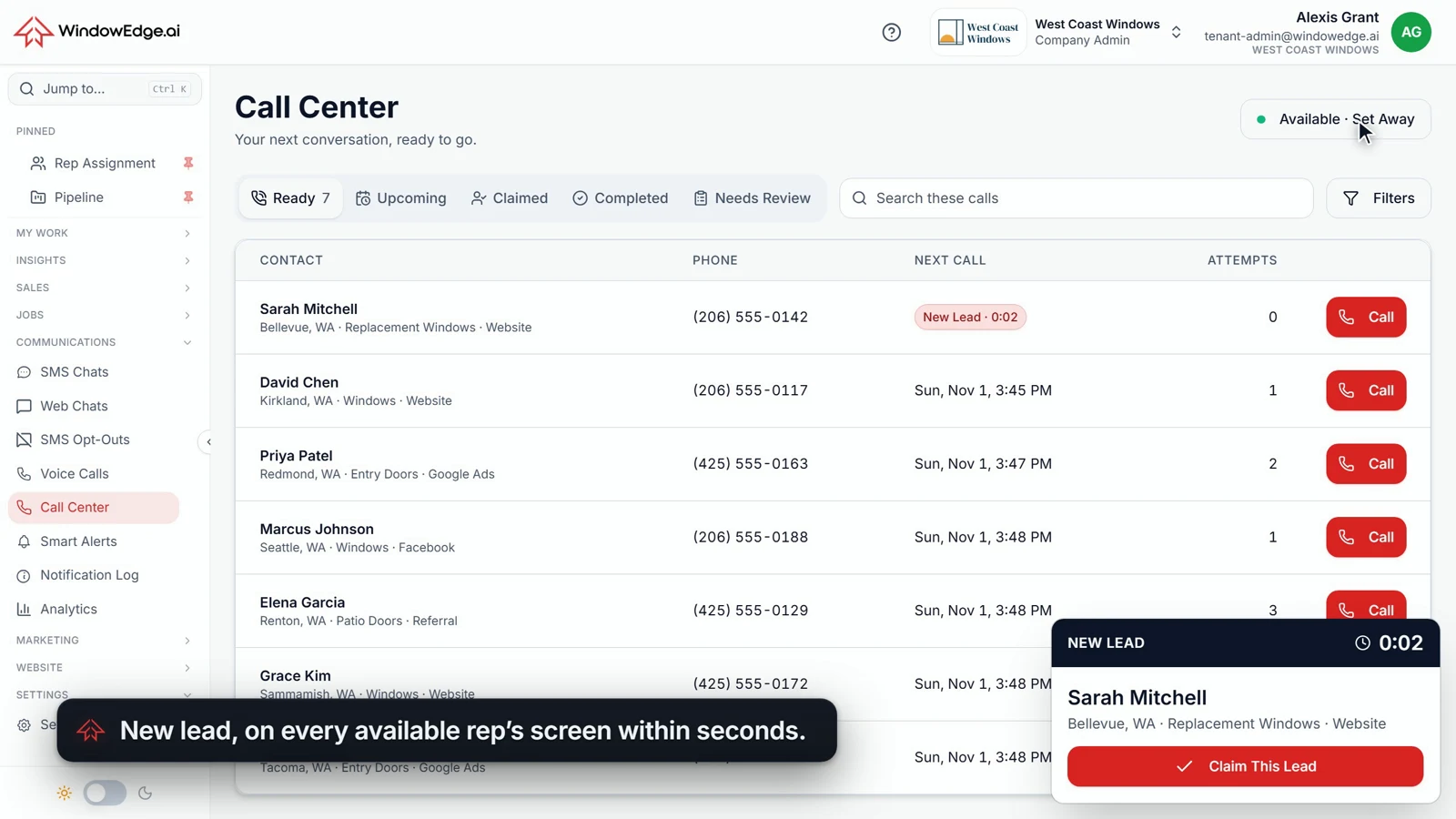
A homeowner just asked for a quote. Right now, they are ready to talk. The Call Center puts that lead on your rep's screen within seconds, starts the call from the browser, and has open times waiting when the homeowner picks up.
Built by dealers. 30+ years in the trade.
Any lead source. Every channel at once.
Leads come from all of your configured sources. The moment one reaches WindowEdge, you can reach back with a text, an email and a live rep on the phone, all from one system.
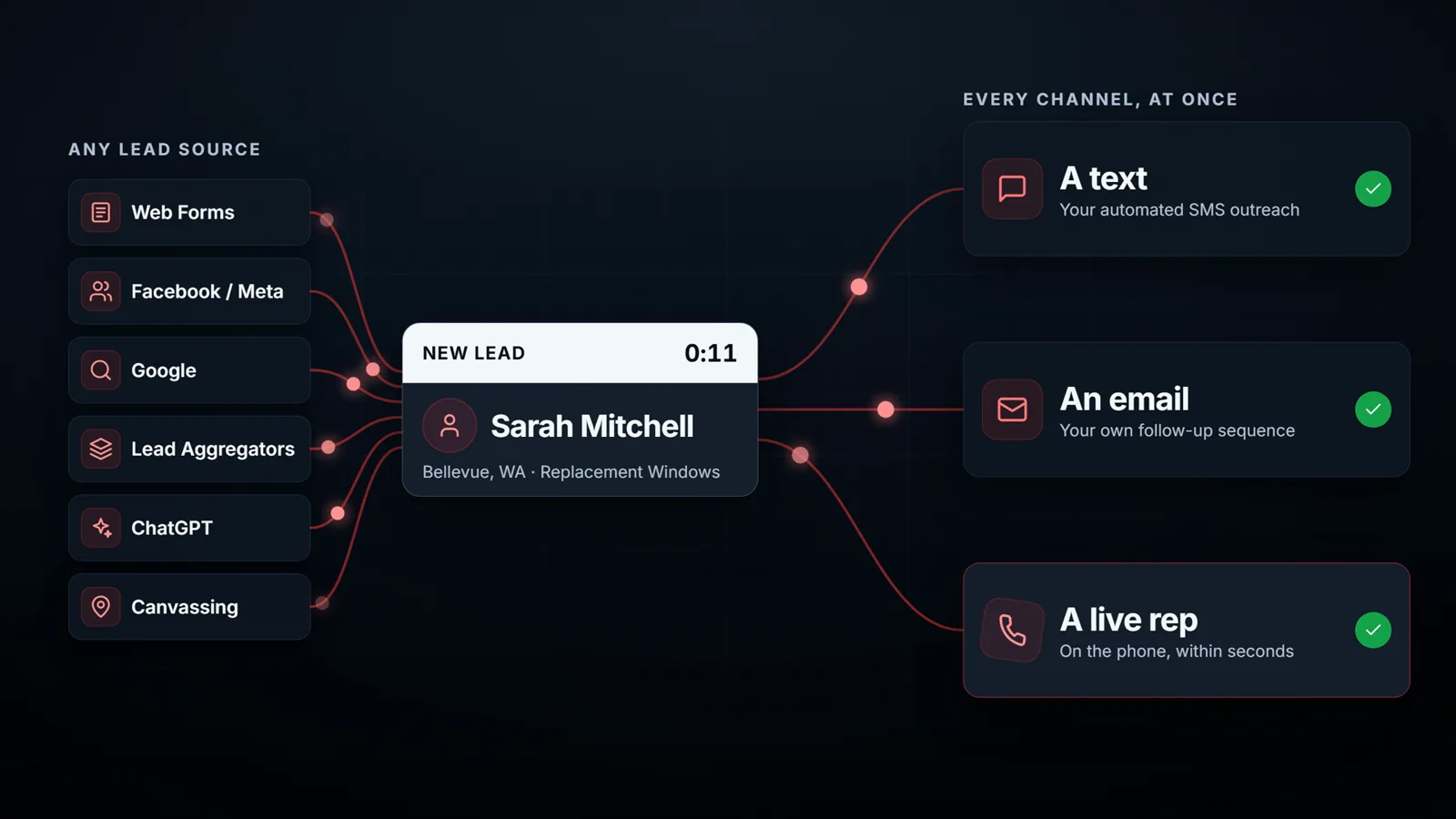
- Web forms
- Facebook / Meta
- Lead aggregators
- ChatGPT
- Canvassing
From the form to the calendar, without leaving the screen
No copied numbers. No hunting for the contact. No second tab for the calendar.
The lead lands
Every available rep sees it within seconds
A new lead card appears on the rep’s screen, on any WindowEdge page, with the name, town, product and source. The timer counts from when the lead arrived, not from when someone noticed it.
Click one
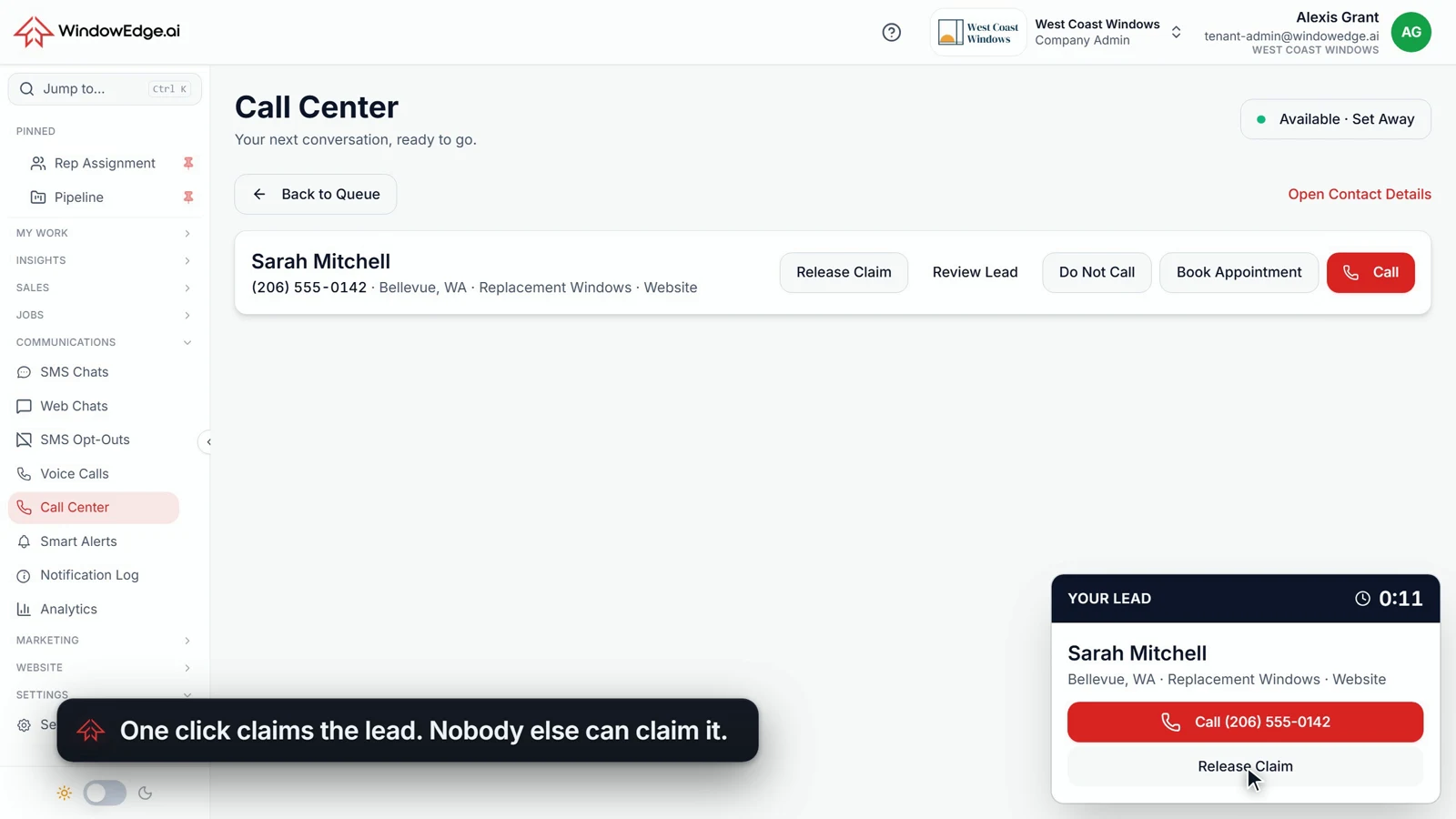
Claim it. Now it is yours.
One click claims the lead. Once it is claimed, nobody else can claim it, and the whole team sees who has it. Your reps stop stepping on each other, and two reps never call the same homeowner at once.
Click two
The call starts in the browser
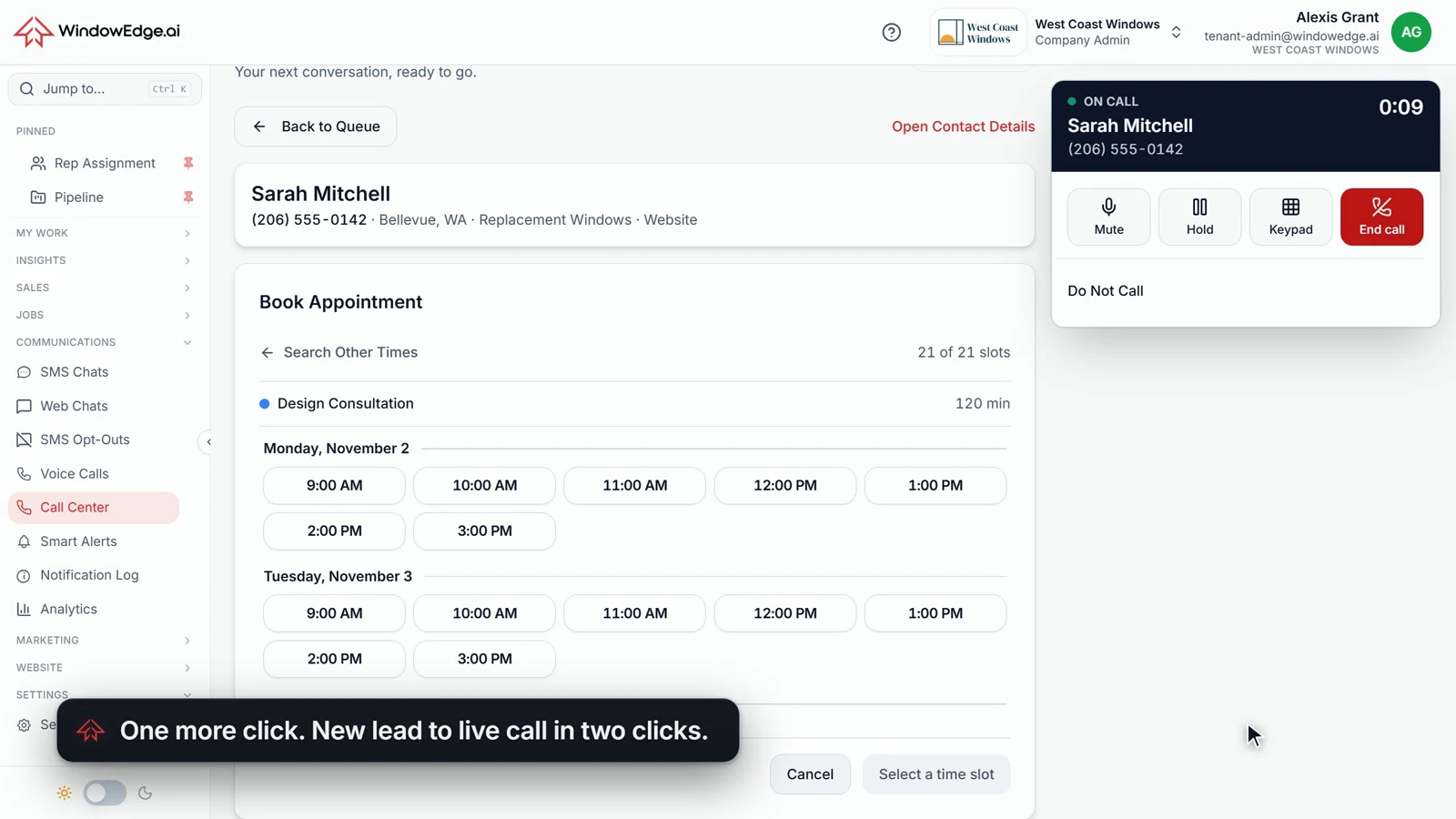
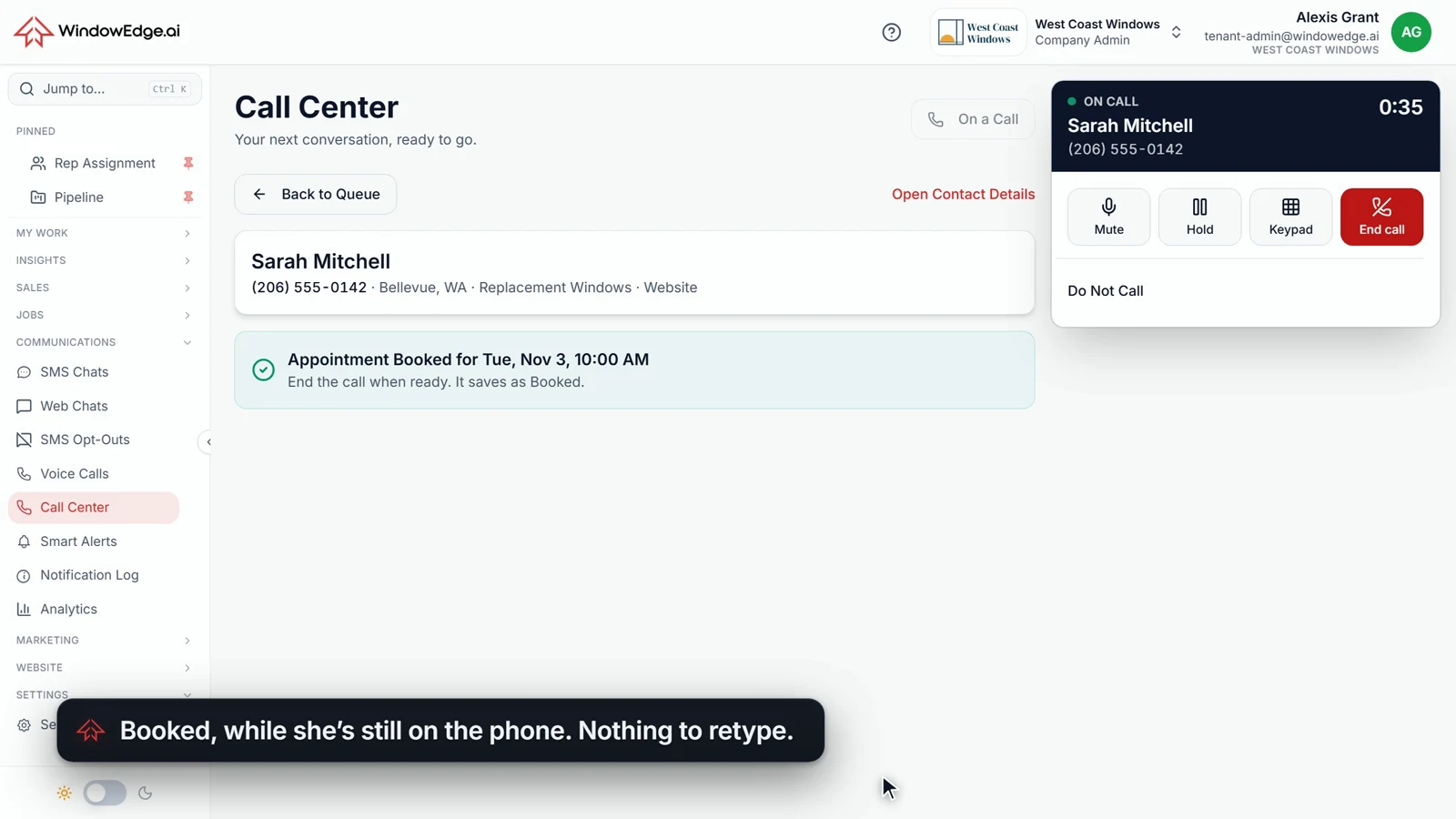
One more click and the call is on its way, with no separate dialer and no second login. Mute, Hold, Keypad and End Call stay in one panel, and open times are already on screen when the homeowner says hello.
Book it
Booked while she is still on the phone
Click the time. Click Book. No retyping her name, her address or her number. When the call ends it is marked Booked automatically, with nothing to log and nothing to forget.
Built for the rep on the phone and the owner watching the numbers
A queue with one next action
Ready, Upcoming, Claimed, Completed and Needs Review. Next Call brings up the next lead, and your rep decides when to dial. Nothing dials on its own.
One click results
No Answer, Bad Lead and Do Not Call are one click away. Unanswered leads come back on the follow-up schedule you set.
Every call on the record
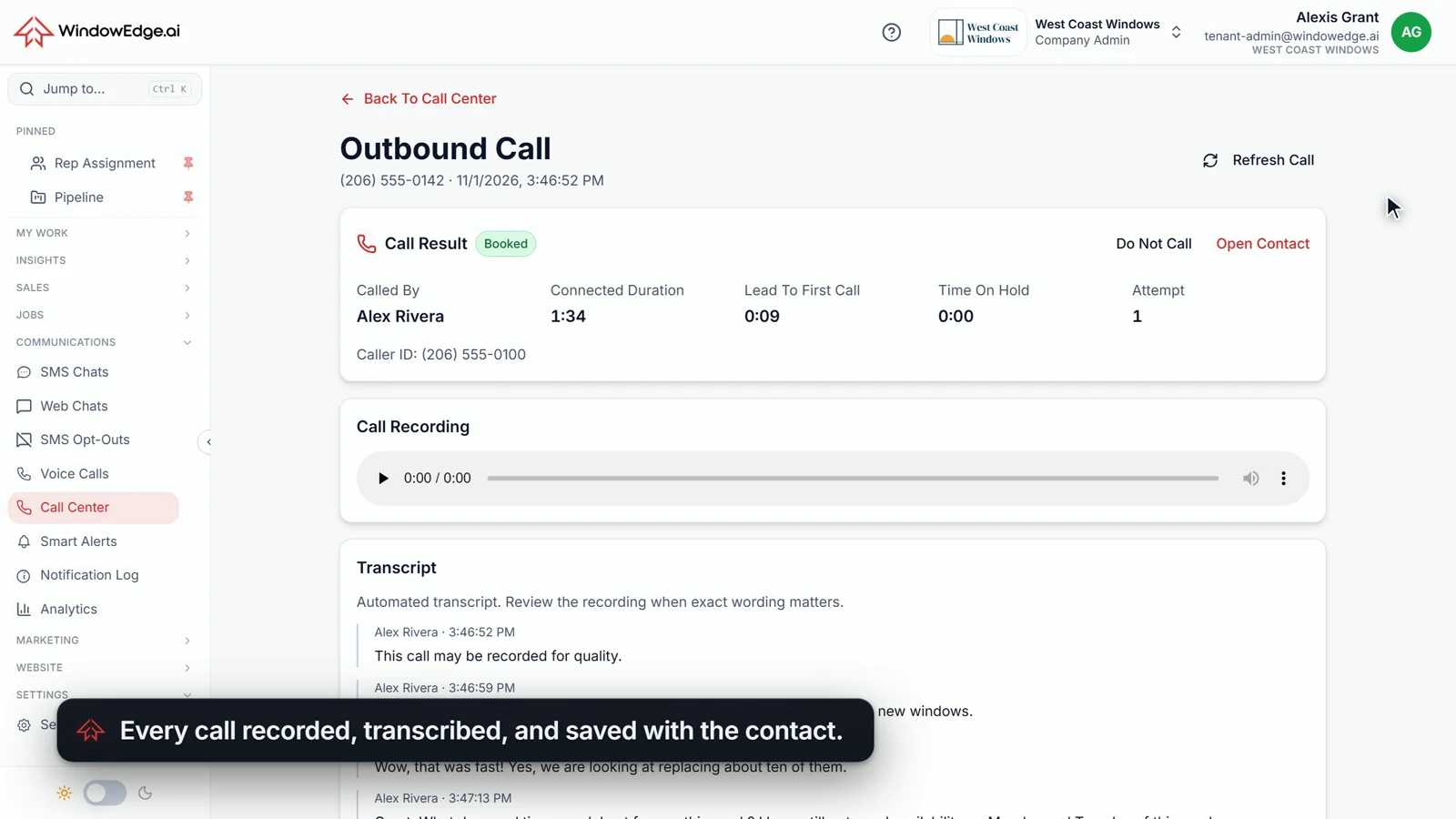
Each call is saved with the contact: recording, transcript, who called, connected time and Lead To First Call. Your review starts from what was said.
Your number, your caller ID
Add a local outbound number in Settings and choose the caller ID your homeowners see. One number can serve your whole calling team.
Calling hours that hold
Set your own calling hours. Leads that arrive after hours wait for you to open, instead of pulling a rep in or dialing at dinner.
A manager knows when a lead sits
When a lead goes unclaimed or a claim goes undialed during your hours, the people you choose get an alert. A slow response stops being invisible.
The call does its own paperwork
Your rep moves to the next homeowner. The record stays behind, on the contact, where the next person who picks up this lead can read it.
- Recording and transcript saved with the contact
- Who called, connected time, time on hold and attempt number
- Lead To First Call on every call record
- Booked set automatically from a real appointment
Fast, without calling the wrong person at the wrong time
A person decides every call
Your rep clicks Call. Nothing dials on its own, and Set Available is how a rep clocks in.
Do Not Call means do not call
One click, from the lead or the live call, and the number is blocked from further outreach.
Your hours, not ours
Calling follows the hours you set in Settings, separate from the hours your inbound routing uses.
Questions dealers ask
Is this an auto dialer?
No. A person decides every call. A rep claims the lead and clicks Call. Nothing dials automatically, and nothing moves to the next lead until the rep clicks Next Call.
Where can the leads come from?
From all of your configured sources: your web forms, digital ad leads from Facebook / Meta and Google, third-party lead aggregators, leads from ChatGPT, and canvassing leads. Once a lead reaches WindowEdge, it reaches the queue the same way.
What happens if two reps go for the same lead?
Only one claim can win. The server decides, the second rep sees who got there first, and that lead cannot be called twice at once.
Do reps need a desk phone or a softphone app?
No. Calling runs in the browser with a headset or a computer microphone. Use a current version of Chrome or Edge. A rep clicks Set Available to clock in and Set Away to clock out.
Does the homeowner get a confirmation after booking?
Yes, when appointment confirmations are configured for your account. The confirmation text and email go to the homeowner, so the rep can stay on the conversation.
How does this work with your AI agents?
They work side by side. You choose how each lead source is handled. A lead can get a text, an email and a live rep from one system, and every conversation lands on the same contact record.
How do you handle Do Not Call?
Do Not Call is one click from the lead and from the live call. A marked number is blocked from further outreach through the same shared block list your other WindowEdge channels use.
Call them while they are still ready to talk
See the Call Center in a 20-minute demo. Bring your lead sources and we will show you how each one reaches your team.
Built by dealers. 30+ years in the trade.