Quote & Design · Present & VisualizeNew
Show it on their home. Close it at the kitchen table.
Drag the slider to show quoted windows right on the homeowner’s house, share your Value Cards, let them pick their down payment live, and collect signature and deposit in one sitting.
Replaces Leap (SalesPro), Ingage, and standalone window visualizers.
Windows
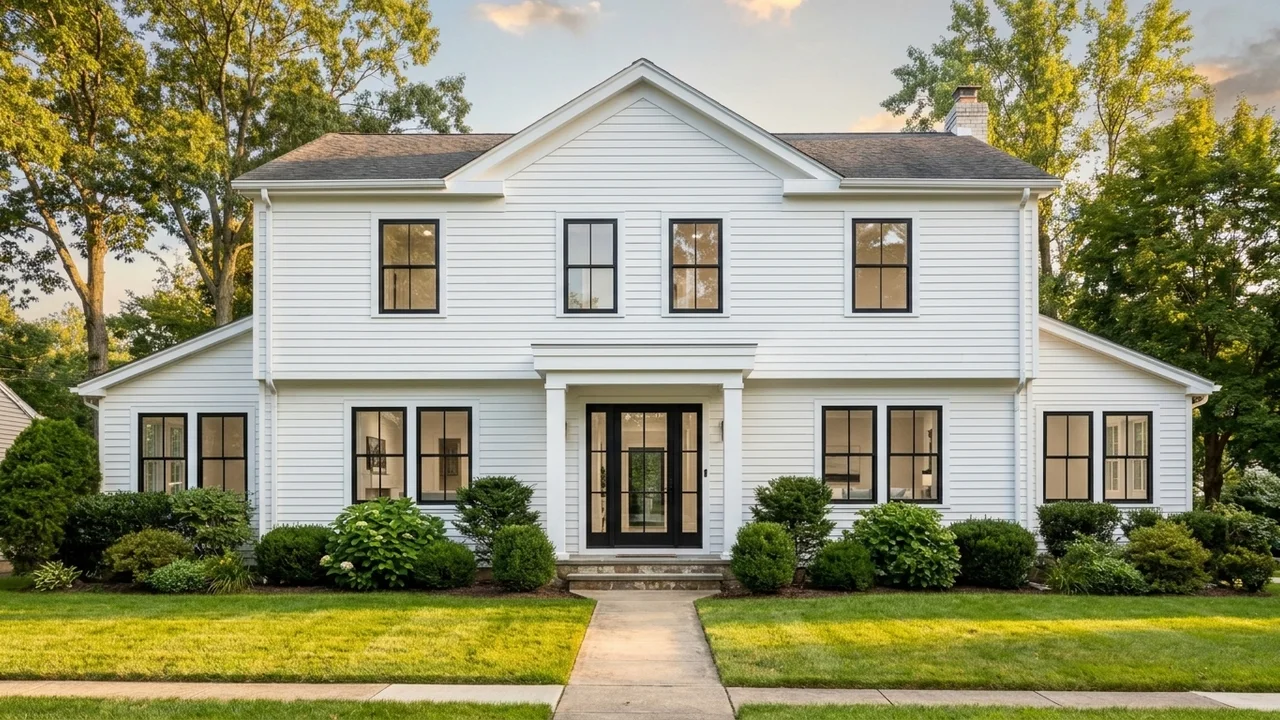
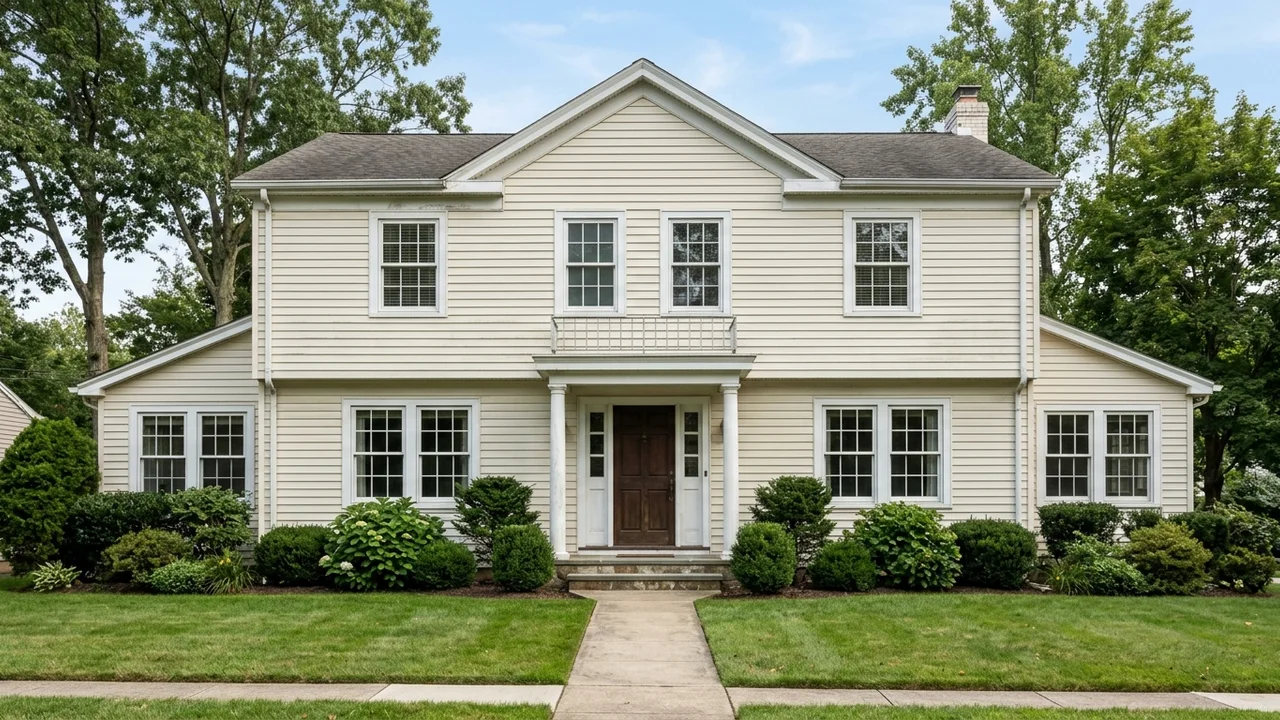
View in My Home
Matte Black Fiberglass · Architectural Entry
Choose money down
Est. monthly
$202/mo
One-sitting close
Value Cards + Financing + E-Sign
Built to compress the decision from weeks to one sitting
View in My Home AI visualization
Snap or upload a photo of the homeowner’s house and render their exact quoted windows and doors right onto their facade so they buy with visual certainty.
Branded dealer Value Cards
Customize your company’s value story with your own colors, line icons, and concise subtext. Reps select the exact Value Cards that matter to each homeowner.
Interactive Ways to Save
Show approved promotions, bundle savings, or install method alternatives live at the table without breaking your margin rules or opening a calculator.
Homeowner-chosen money down & financing
Let homeowners test $0-down financing plans or type in their own down payment to see exact monthly numbers live, with the chosen deposit flowing straight to the agreement and invoice.
Your exact financing card wording
Dealers control how each financing plan card is worded so promotional disclosures, terms, and monthly payment framing stay compliant and consistent across every rep.
Seamless one-sitting sign and deposit
When the homeowner says yes, turn the iPad around: the presentation becomes the e-signable agreement, the deposit clears by card or bank, and the job lands on your delivery rail.
Questions dealers ask
Can this replace Leap (SalesPro) and Ingage at the kitchen table?
Yes. Many dealers pay separately for an interactive presentation app like Ingage, a quoting app like Leap SalesPro, and a standalone window visualizer. WindowEdge puts manufacturer quoting, Design Studio drawings, View in My Home visualization, Value Cards, live financing, e-signature, and deposit collection in one continuous kitchen-table flow.
How does homeowner-chosen money down work with financing plans?
During the presentation, a homeowner can explore $0-down options or enter the exact down payment they prefer. WindowEdge recalculates the financed balance and monthly payment server-side and carries that exact deposit into the signed agreement, homeowner portal, and invoice automatically.
Does View in My Home work from the actual quoted windows?
Yes. View in My Home connects directly to your Design Studio and Smart Quote configurations so homeowners see the frames, grids, and styles they are actually buying.
Can we customize Value Cards and financing disclosures for our dealership?
Yes. Admins manage the dealership’s Value Card library (titles, subtext, icon, and brand colors), financing plan card wording, and approved Ways to Save from dealer Settings so every rep presents on brand.
What if the homeowner wants to think about it overnight?
The same rendered proposal stays available in their branded Homeowner Portal, while your Rehash Agents, SMS Campaigns, and No-Deal Nurture Email Sequences keep the conversation alive automatically.
Smart Quote
Voice-driven quoting with factory catalogs, dealer rules, custom pricing, and offline iPad support.
Design Studio
Draw bay, bow, shaped windows, entry doors, and mulled composites with showroom renders.
Online Payments
Collect the homeowner’s chosen deposit by card or ACH right after they sign.
Outcomes this drives
Upgrade every kitchen-table appointment
See View in My Home, Value Cards, and live homeowner financing in a 20-minute demo.